Digital dentistry
3D-Printed Restorations & Appliances
See how a digital design becomes a physical dental item, layer by layer.
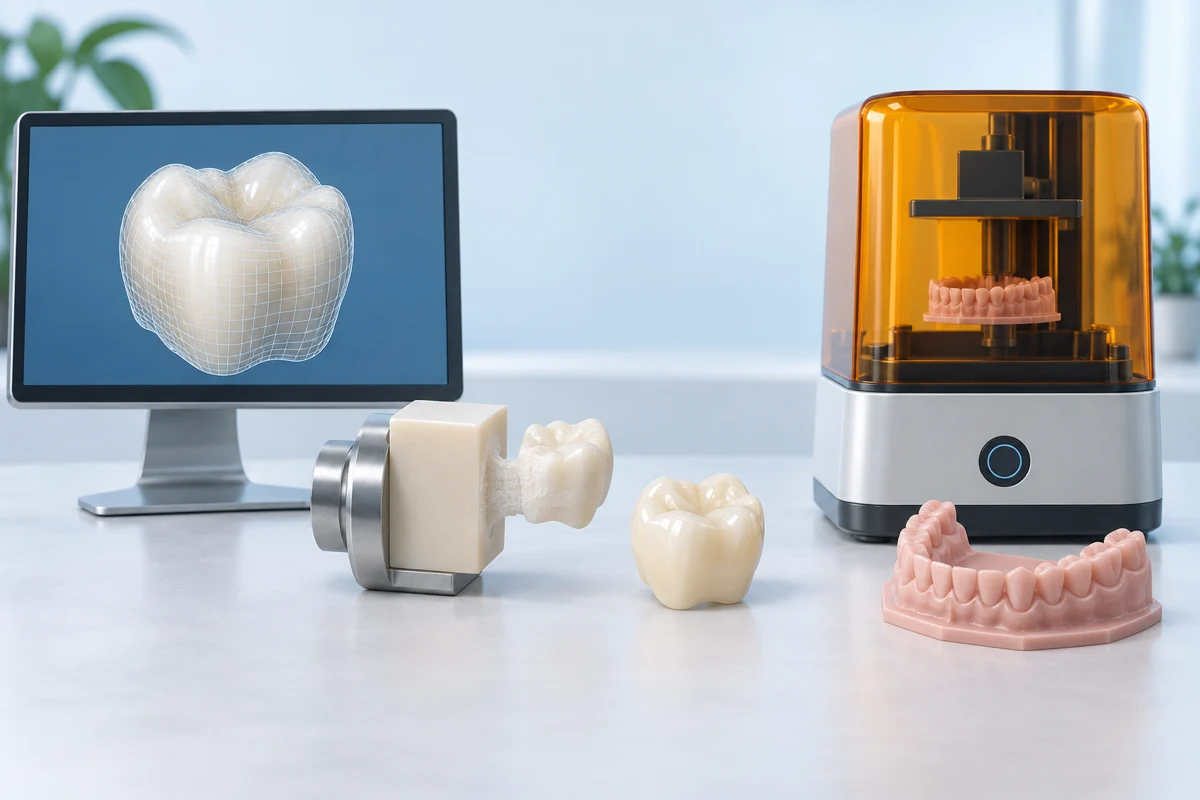
What it does
Dental 3D printing can produce models, appliances and certain restorations. A printed model used to make a device is different from a printed device placed in your mouth. The material and its intended use are important.
Explore the source material ↗Inside a digital dental office
See the software. Watch the tooth take shape.
Go beyond the finished smile: explore the design screen, the manufacturing equipment and the hands-on finishing work.
Watch a crown being 3D printed
SprintRay · Manufacturer demonstration
Connects to YouTube only when you choose to load.Watch a crown being 3D printed
Follow the Midas Restore workflow through AI Studio design, printing, cleaning, curing and finishing. Watch how much happens after the printer stops.
Manufacturer demonstrations may contain promotional claims and clinical footage. They show particular systems, not proof that one treatment is best. Videos are hosted by their publishers; availability and captions may vary. If a player is blocked, use the direct link. Loading a video shares connection information with the host, which may use cookies. Privacy notice.
What changes from the traditional approach?
For a crown, these are two possible paths. Dental labs also use scanners, design software, mills and printers.
| Stage | Impression & lab route | Digital office route |
|---|---|---|
| Record the teeth | A tray holds impression material around the teeth. | A handheld scanner builds a 3D surface model on screen. |
| Design & make | A lab makes the restoration; it may use digital equipment too. | Software designs the shape. A compatible mill or printer makes it. |
| Visits | A temporary crown is commonly worn between preparation and fitting. | Some suitable cases can be finished in one visit, avoiding an interim temporary crown. |
| Fit & follow-up | The dentist checks fit, appearance and bite before securing the crown. | The same clinical checks and ongoing care still matter. |
Fewer appointments can be convenient. The best material and workflow still depend on the tooth, bite and case—not simply which machine is available. Read Cleveland Clinic’s crown overview ↗
The software behind the restoration
These examples handle different jobs. An office may use one system or connect several; a digital design still needs professional evaluation.
exocad ChairsideCAD
Works with a digital model to design restorations for manufacture in the office or through a lab.
See the software ↗SprintRay AI Studio
Turns scan files into a proposed design, with tools to review and adjust it before sending it to a compatible printer.
Explore the design steps ↗Formlabs PreForm
Prepares a designed restoration for printing, including its position and supports. The manufacturer’s illustrated guide also shows cleaning and finishing.
See the manufacturing screenshots ↗CEREC
Connects digital impressions and restoration design with milling. The selected ceramic then follows its required finishing and firing process.
Explore the CEREC workflow ↗Printing and milling are different
Milling cuts a restoration from a solid block. Resin printing builds it in layers, followed by cleaning and post-curing. A printable material may be intended for a model, temporary restoration or specific definitive restoration; those uses are not interchangeable. Ask which material is proposed and what evidence supports its use in your case.
FDA: how medical devices are 3D printed ↗Examples are educational, not endorsements or partnerships. Equipment, software versions and permitted uses differ by practice and country. Videos and source pages checked September 9, 2026.
What usually happens
The sequence and number of visits depend on the individual case.
Create the design
A digital record is used to design the particular model, appliance or restoration.
Choose the system
The team selects a compatible printer and material for that intended use.
Print and process
The item is built in layers and receives the required cleaning, curing and finishing.
Check before use
The dental team verifies the finished item and its fit before clinical use.
Benefits, limits & trade-offs
FDA clearance is tied to a specific intended use. Ask whether a restoration is temporary or intended for longer use, and what clinical evidence supports the proposed material.
Watch & explore further
Open the publisher’s page for videos, animations or more detailed reading.
External media opens only when you choose a link. Publishers may show advertisements or use cookies. Links do not imply endorsement or a partnership. Illustrations on Teeth.com are AI-generated, simplified explanations, not patient images.
Questions for your dentist
- What exactly is being printed: a model, a temporary or my final restoration?
- Is the material intended for this use?
- How do longevity, repair options and cost compare with a milled or laboratory-made alternative?
Take the next step
Look for offices offering this care
Search for 3d-printed restorations & appliances in your area, then confirm the service with the office.
Opening Google Maps shares your search terms with Google. Results and rankings come from Google. Teeth.com has not verified these offices, their equipment, training or availability. A listing is not a recommendation.
Before you book
- Confirm that the office offers the specific procedure or technology you want to discuss.
- Ask who performs the treatment and about their relevant training and experience.
- Discuss whether it suits your situation, alternatives, the total fee and follow-up care.